Free file manager for mobile device
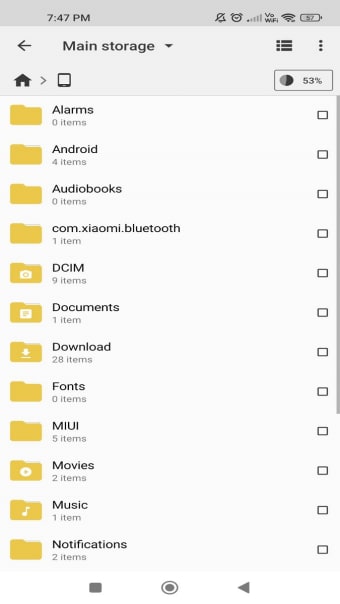
Cx File Explorer is a completely free tool that will help you organize the files on your Android device so that you can easily find them later. With this file manager, you can organize your mobile files in the same way as on a PC with File Explorer or on a Mac with Finder.
Top Recommended Alternative

The intuitive and organized interface of Cx File Explorer allows you to seamlessly organize your files and folders according to your preferences, similar to the ES File Explorer and Root Explorer apps.
Organizing files made easy
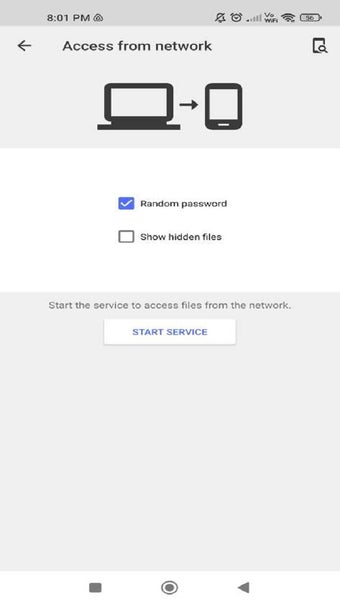
Cx File Explorer gives you the freedom to browse, move, copy, compress, rename, extract, delete, and share your files as much as you want. Not only locally stored files; the file organizer also allows you to monitor your cloud-stored files and files on network access servers (NAS). This includes remote or shared repositories such as FTP, FTPS, SFTP, SMB, WebDAV, and LAN.
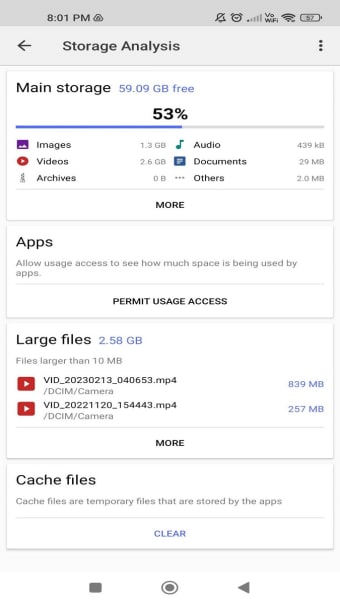
In order to have a better overview of all your stored files, Cx File Explorer also graphically displays a storage analysis where available space can be instantly scanned and managed to your liking.
A simple and attractive design
Cx File Explorer also includes a recycle bin that you can always turn to when you delete a file and want to recover it. When you start the app, you will be asked for permission to manage all the files on your device before accessing them.
Cx File Explorer has a very colorful and simple design, allowing you to see at a glance its main tabs: Local, Library, and Network. The Local tab is where the main storage, SD card, downloads, applications, and recycle bin are located. The Library displays your media files, while the Network lists your remote file connections.
However, the Cx File Explorer interface does not have a dark mode option, so you will have to get used to its bright white backgrounds.
What’s new?
Regular updates keep the Cx File Explorer app current and free from glitches to cater to its millions of users. With bug fixes and minor tweaks, you can expect smoother navigation and improved accessibility in the present version. Recent highlights include a storage cleaner to remove junk and free up space and the ability to extract password-protected ZIPs for easier access to secure archives.
Excellent option
Cx File Explorer is probably the best file management app for your Android device. This tool will allow you to monitor your different storage media from one place and organize them to your liking. No matter what you need to do with your files and folders, Cx File Explorer can do it without any complications. In addition, the app is totally free and has no ads of any kind, so you can organize your files without being bothered by advertising.


.jpg)